

How To Design A Quiz App
Designing a quiz feature for an educational app
Objective: Design a quiz feature for an educational app for teens to learn about ant STEM subject in a fun way.
Design Process
User Research
Considering that the app is for teens, I researched about educational apps and also quiz apps. I also checked some designs relating to the objective on dribbble.com, behance.net etc. I also installed one of the more popular quiz app in order to explore their features, design and experience.
In conducting my user research, I interviewed several teenagers between the ages of 13–18. Some of the questions I asked them include
How old are you?
A r e you a science or art student?
What class are you in?
What are your favourite subjects?
Have you used any educational app before?
Have you used any quiz app before?
What features would you like an educational quiz to have to make your learning and use of the app fun?
Are you a competitive person?
User Feedback
From my interviews, I discovered that most of my respondents had not used any educational app in any form though some had used quiz apps like Kahoot!. Majority of my respondents showed a huge interest in using an educational app provided that the app will be fun to use, easy to navigate and most importantly help improve their learning and knowledge.
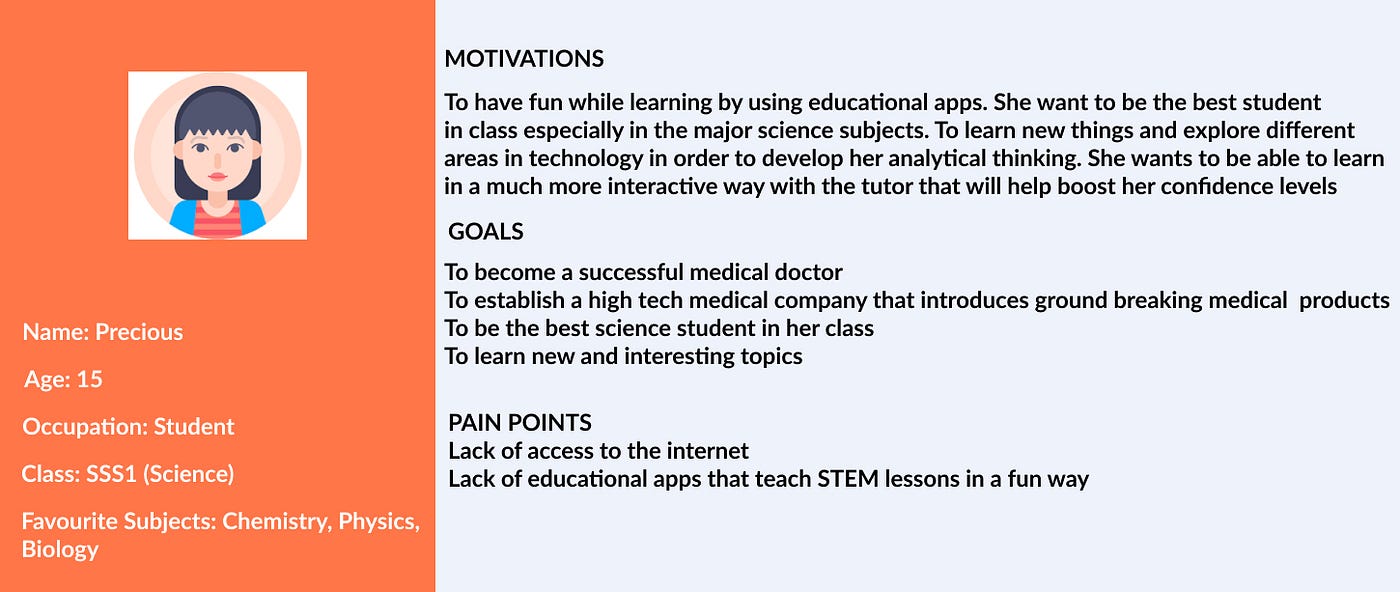
User Persona
After combining the data and feedback from my respondents along with my analysis of other educational apps or quiz apps, I was able to create a user persona that would be an ideal user of an educational app and also be interested in using the quiz feature.
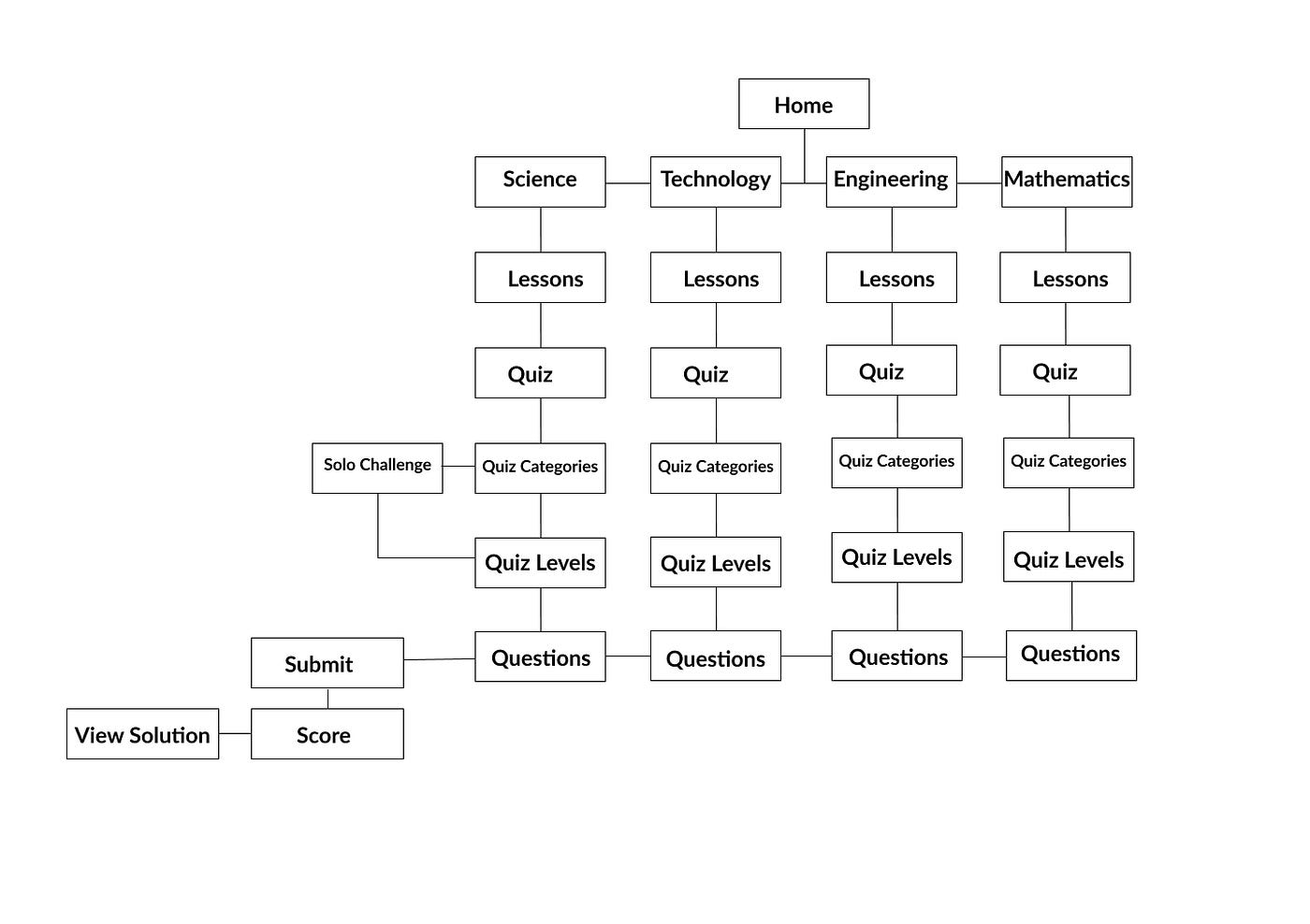
User Flow
I had a vague idea of how the quiz feature would work during my brainstorming and user research. After having a clearer idea about how the quiz feature would work, what users want and how they can navigate the quiz feature.
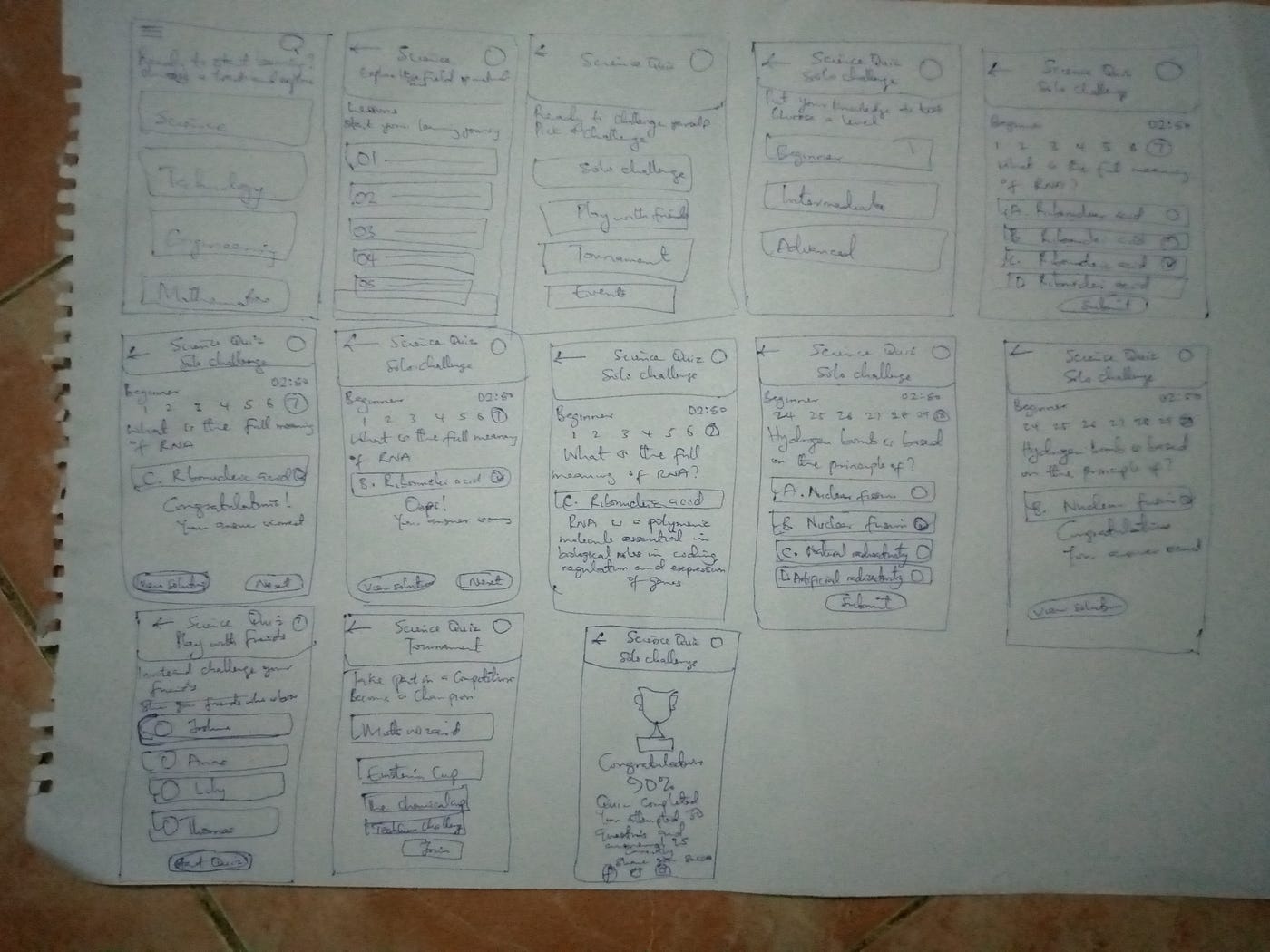
Wireframes
After getting a clearer idea of the user flow, I began the wireframing. I am comfortable with both paper sketching and also sketching and wireframing digitally. I choose to do paper sketching which allowed me to arrange the interface elements while I mentally focused on the experience of the quiz feature.
Features
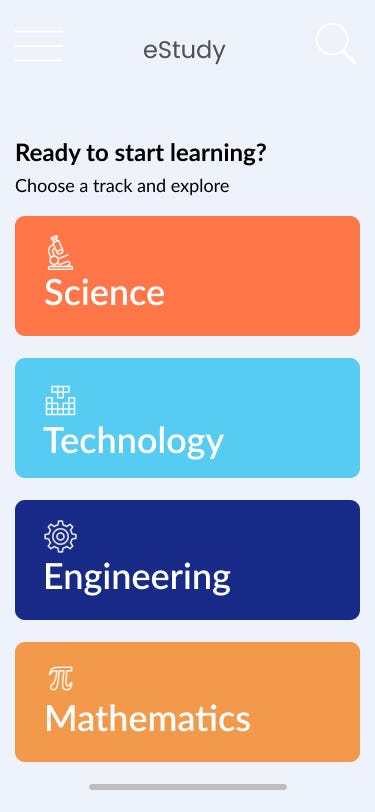
Homepage
With my ideas for the app now better mapped out, I decided to make a homepage that is linked to an educational app where users can select what STEM discipline to learn.
Lessons
Users can select any of the track and access the lessons for that learning track.
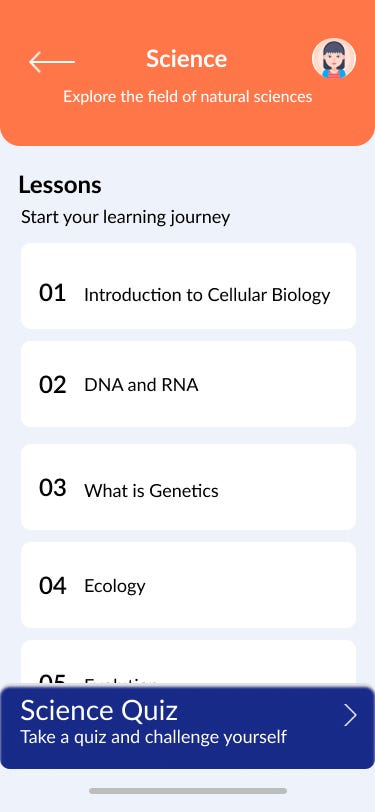
Users are able to take the quiz after taking the lessons or take the quiz immediately even without taking the lessons.
Quiz Categories
Users can select a quiz type or categories.
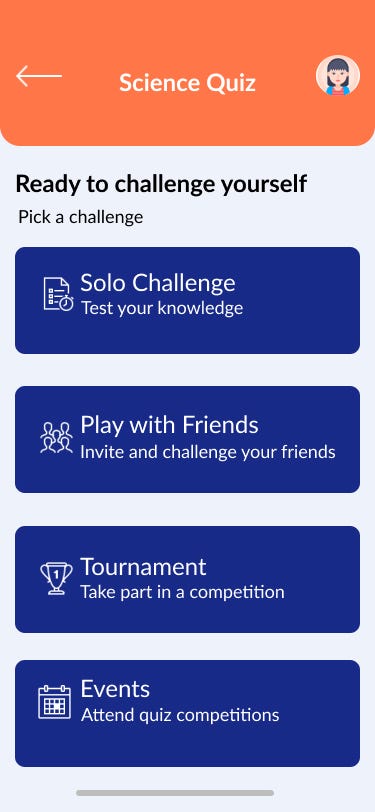
The categories include
Solo Challenge: Users can take a personal quiz
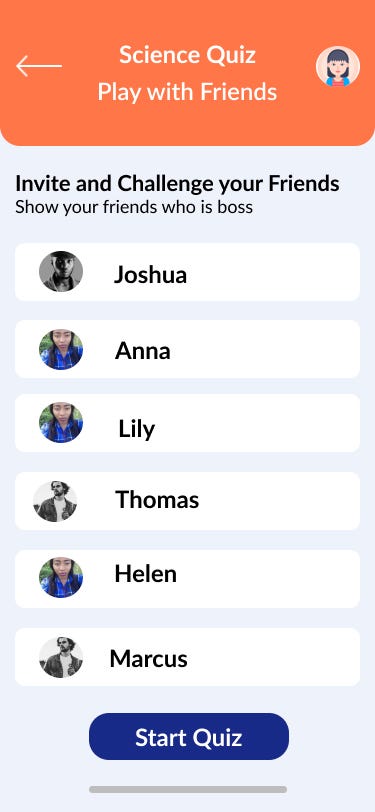
Play with Friends: Users can invite friends and challenge them to a quiz challenge
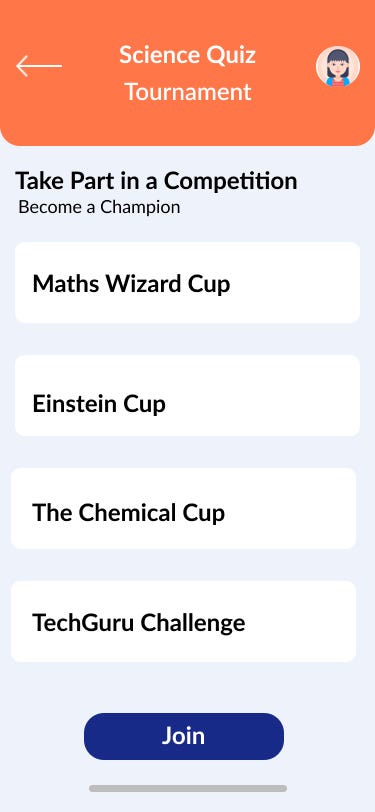
Tournament: Users can take part in quiz tournaments on the app
Events: Users can check out for offline quiz competitions and register to take part
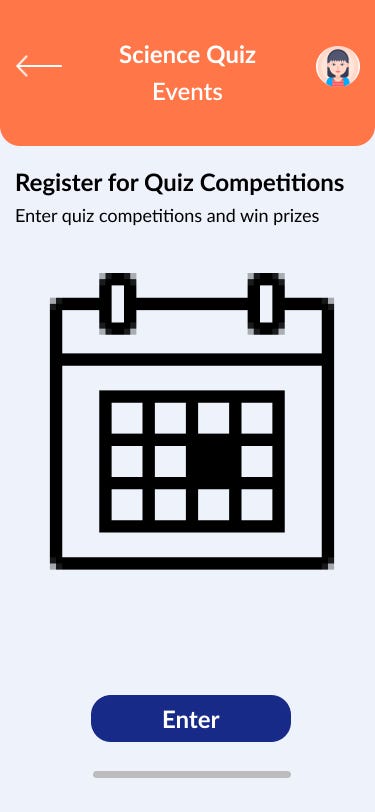
Quiz Levels
I decided to explore the Solo Challenge option. After a user selects the solo challenge, they can select a level of challenge from Beginner, Intermediate and Advanced.
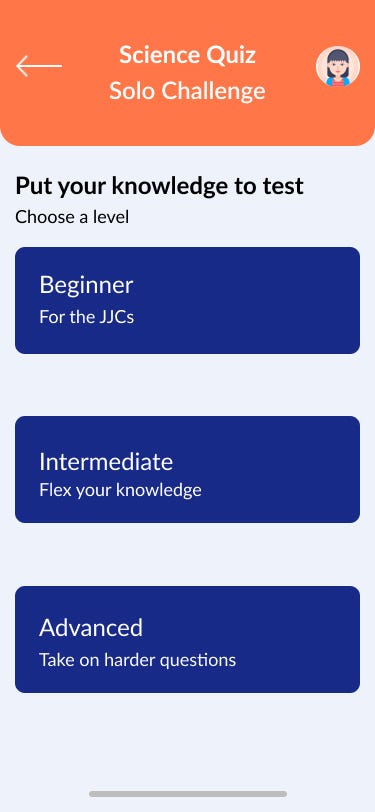
Once a user selects a level, they can start answering the quiz questions.
Questions
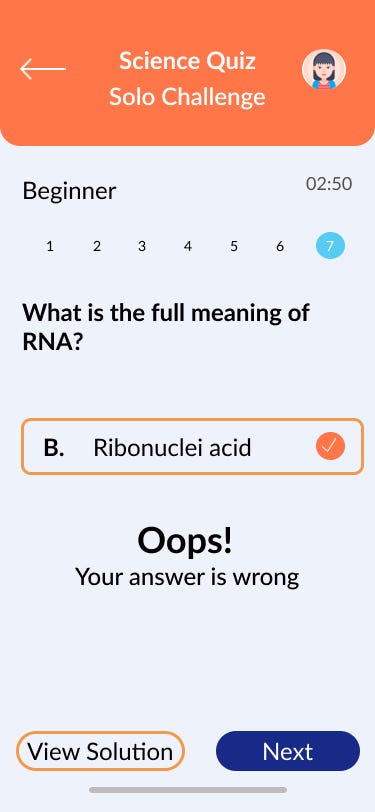
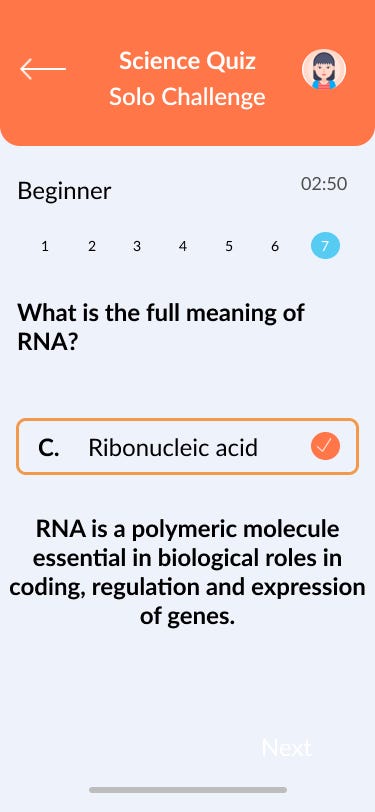
Users can now attempt questions based on their level of difficulty
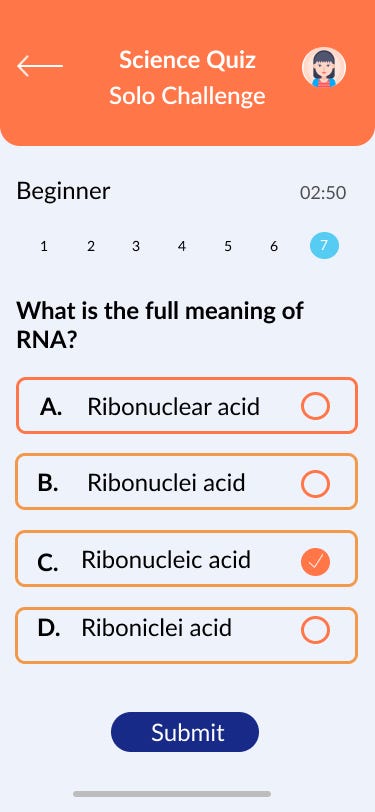
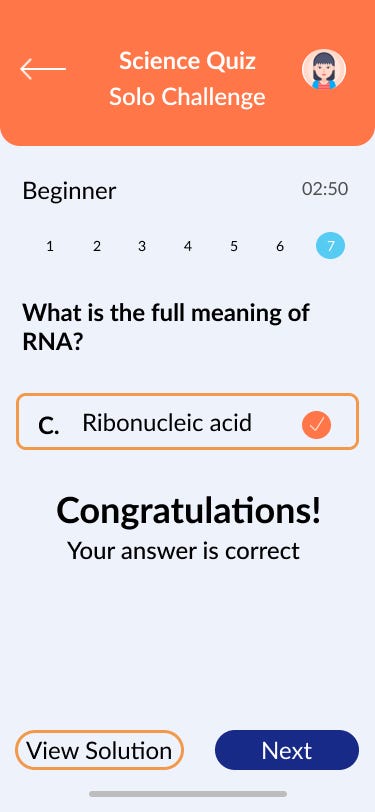
Users can easily select a question after answering a question. This enables to easily navigate the questions. Users can easily submit their answers and this takes then to a screen where they can see whether their answer is right or wrong. They can also decide to view the solution to the question.
Prize
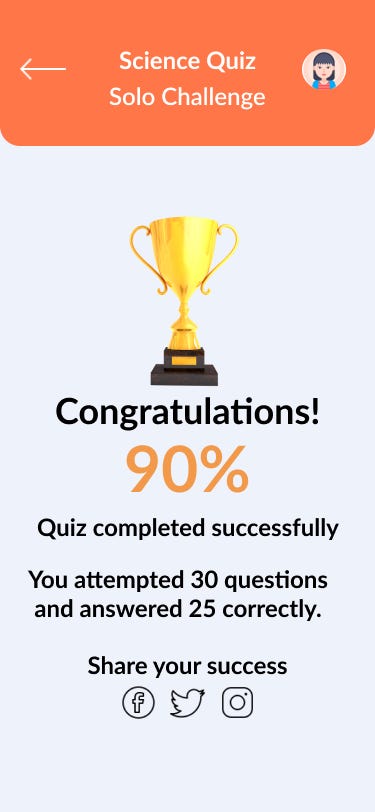
At the end of the quiz, users submit their last answer and can get to know if their answer is wrong or right and then also view the solution. Users can then see whether they have passed the quiz with the number of right answers been used to judge if they passed the quiz and then receive a trophy which they can share to their social media.
Validation
In order to validate my ideas, I set up a prototyping sequence and invited my respondents to take part in a validation test by using the prototype.
From the validation test, I discovered that users
- Found it fun to use and easy to navigate.
- Users also loved the facts that they could invite and challenge their friends to a quiz, take part in quiz tournaments and also be able to register for offline quiz competitions.
- Users also commented that the colours were bright and that entice them to check out the quiz.
- They also liked the fact that they could jump right into taking the quiz or going through the lessons before taking the quiz.
- Users concluded they would be interested in using an educational app especially if the lessons were delivered in a way that is very interactive such as the use of animations and motion graphics compared to the manner in which they are taught at schools.
The whole has been super motivating and also helped me challenge myself into finally writing a sort of case study. I hope educational apps that come with quiz features will strive to make their products more fun for users to use.
How To Design A Quiz App
Source: https://medium.com/@ijeseogbomedah/designing-a-quiz-feature-for-an-educational-app-890661fbd084
Posted by: baumgriat2001.blogspot.com
0 Response to "How To Design A Quiz App"
Post a Comment